
Why families do not fill in your enquiry form

Written by Len Burgess, Founder
Len Burgess is the founder of TRG Digital, a specialist digital agency for the UK care sector. He has worked in SEO and digital marketing for over a decade and writes about search, ranking factors and lead generation through a data-first lens: read the data, apply best practice and logic, test, and repeat until you rank.
Connect on LinkedIn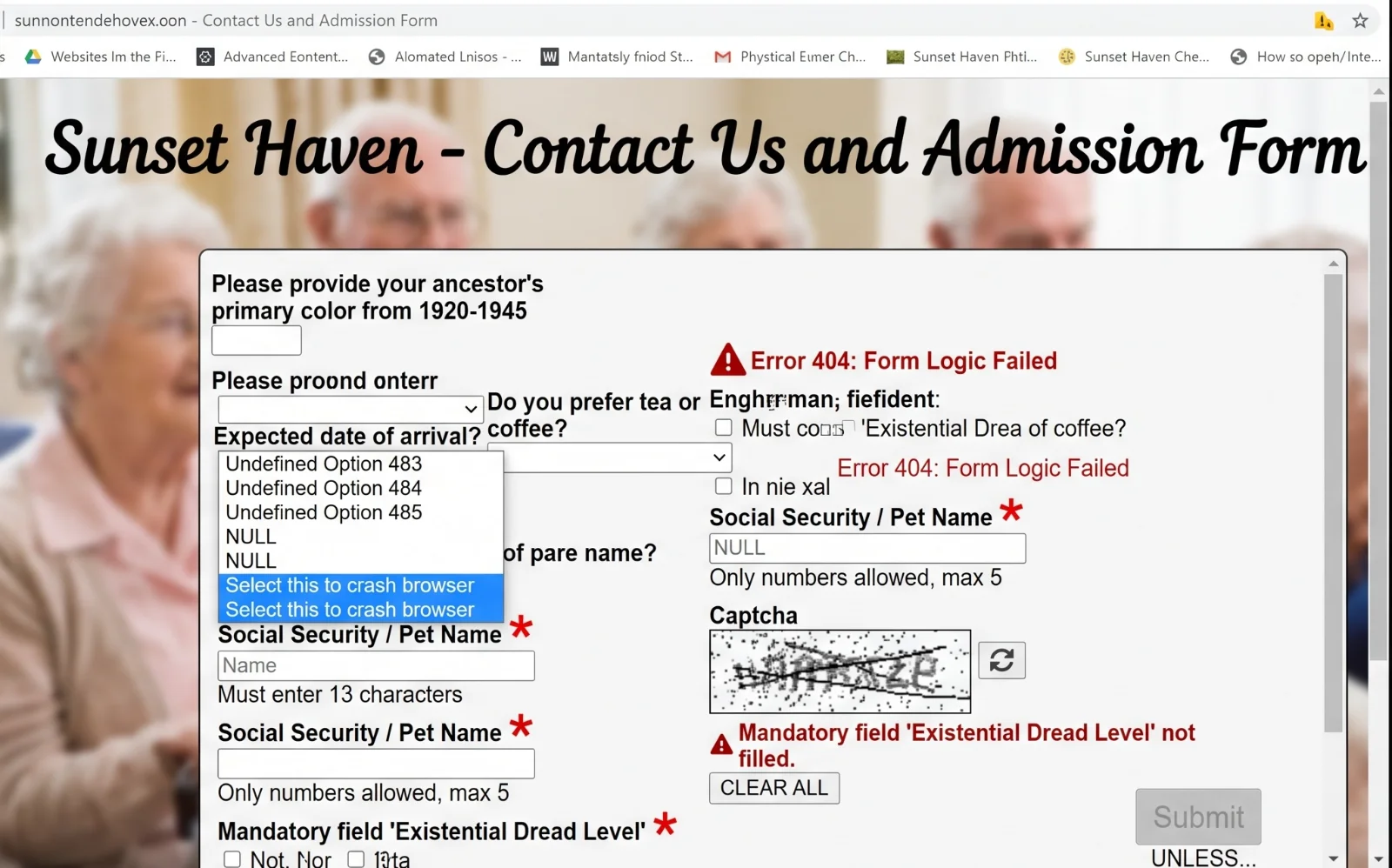
A care home enquiry form that gets no submissions is usually a form problem, not a family problem. Many families search for care at 11pm from a hospital ward or a kitchen table, when phoning is not an option.
The form is often the only way to reach you at that hour, and most care home forms quietly put families off before they ever press send.
So keep reading and get all the details about how you can increase enquiries with little tweaks to your form(s).
What is actually happening for a family when they reach your form?
The family who reaches your form is usually in crisis, not calm research. They may be sitting on a hospital ward after a discharge conversation, or at a kitchen table late at night after weeks of worrying about a parent. Stress, guilt and time pressure shape every click, so the family is scanning for reassurance, not filling in a job application.
They have three or four tabs open and are forming a shortlist in minutes. Your form is competing with every other home they have opened, and any friction reads as a reason to close the tab. Phoning is often impossible at that hour, which makes the form the only route in.
The assumption that families just prefer to phone is half true. Some do prefer to phone, especially during office hours. But the half that assumption misses is the family searching at 11pm who cannot phone, will not phone, and will simply move to the next home if the form feels like an obstacle.
Once they have moved on from your home, they are very unlikely to come back.
Which fields should you cut from a care home contact form?
Cut almost everything. Every extra field is a small tax on a stressed person, and the tax compounds quickly. A form with eight fields does not feel twice as hard as a form with four fields. It feels like a test the family has not prepared for.
Work with TRG
Struggling to fill your beds?
See how we turn local searches into pre-qualified enquiries, delivered straight to your home.
Cut date of birth, full address, NHS number, budget dropdowns and "how did you hear about us" from the first form. None of those fields helps you decide whether to take the enquiry, and all of them give a tired family a reason to stop.
The three fields that matter are name, phone or email, and what kind of care is needed. Care type can be a single dropdown with residential, nursing, dementia and respite, rather than an open text box that asks the family to write a paragraph. Let the family tell you the rest on the tour or the first call, when trust exists.
Should you answer fees, availability and funding before the form?
Yes. Families abandon forms when the next step feels like a sales call, so answer the obvious questions first. State a fee range, current availability and whether you accept local authority funding or self-funding only.
A family who knows the fees start at £1,100 per week and that you have one dementia bed available is far more likely to complete a form than a family facing a wall of unknowns.
The fuller argument for publishing fees is covered in should you publish your care home fees online. TRG Digital builds this into care home websites and conversion work, answering the questions families actually ask before asking for contact details, so the form becomes a confirmation step rather than a cold approach. The mechanism is simple: fewer unknowns before the form means more completed forms after it.
Why does mobile matter more than anything else on your form?
Most of these web visits happen on a phone, often one-handed, often late, often on hospital wifi (which we alll know can be pretty unreliable). A form that works beautifully on a desktop can be nearly unusable on a phone, and the family will not switch devices to accommodate you.
Test your own form on a phone. Look for tiny tap targets, pinch-to-zoom, dropdowns that fight the thumb, and fields that trigger the wrong keyboard. Autofill and correct input types for telephone and email remove real friction on a small screen.
A form that takes 40 seconds on desktop can take three minutes on mobile, and that gap is where families leave. Speed counts too, because a slow page loses people before the form even renders.
What happens after a family presses send?
The reply time that wins is minutes, not days, and same day beats next day. A family that submits a form at 11pm is often still awake, still worried, and still comparing homes. An instant acknowledgement email reassures the family the enquiry landed, especially at that hour.
Work with TRG
Want more private enquiries?
We put your home in front of the families actively searching for care near you.
A named human reply within the hour during waking hours converts far better than a generic auto response. The full follow-up process is covered in replying to care home enquiries. A form that feeds a shared inbox nobody owns is the same as no form at all.
How do you test whether the form or the traffic is the problem?
Check whether people reach the form page at all, because a form nobody sees cannot convert. If the form sits three clicks deep on a page nobody visits, the problem is visibility, not the form itself.
Look at where they stop. If visitors reach the page but leave before the first field, the form is too long, or the page is too slow. If they fill the first fields but never press submit, something near the end is putting them off.
Run a simple change, such as cutting fields or adding fees, and compare enquiries over a fortnight. The wider method is covered in conversion rate optimisation. If traffic is thin and the form is fine, the problem is visibility, not the form.
How does TRG Digital fix a care home enquiry form that is not converting?
The free website grader on the site is a low-pressure way to see what is failing before committing to anything. TRG Digital runs marketing, websites and software under one roof, so the form, the page and the follow-up are fixed together rather than in isolation.
Enquiry Generation puts your home in front of families searching for care nearby, sends them to a landing page built to convert, and delivers pre-qualified enquiries by care type, area and funding, so you pay only for qualified leads. Switch it on when beds are empty and pause it when you are full, which suits the occupancy cycle of an independent home.
The free-form review offered as part of the audit is the natural first step, and it costs nothing but a conversation.
Conclusion
An enquiry form that gets no submissions is rarely a sign that families don't want to get in touch. It's usually a sign that the form is making it hard for them. Cut the form to name, contact details and care type; answer fees, availability and funding before asking for anything; make it work on a phone, and reply within the hour.
Do those things and the late-night visits that currently come to nothing start turning into enquiries. TRG Digital fixes all of this together, because the form, the page around it and the follow-up only work when they work as one.
We build care home websites and landing pages that answer families' questions before the form, test them on the phones families actually use, and set up follow-up so every enquiry gets a named reply. When you need to fill beds faster, Enquiry Generation sends families searching nearby to a page built to convert and delivers qualified enquiries by care type, area and funding.
Start with the free website grader or a form review to see what's putting families off yours.